Bonsai vs HubSpot for Small Businesses (Canadian Review)


Disclosure: This post contains affiliate links. If you sign up through them, I may earn a commission at no extra cost to you. I only recommend tools I use myself.
If you run a small service business, you’ve probably been told you need a CRM. Then you open HubSpot, see dozens of menus, and wonder whether you signed up for a second job.
I’m a Canadian digital marketer helping small businesses with Google Ads and SEO. I run my own client work in Bonsai, so this comparison comes from daily use, not a feature list.
The short version
- HubSpot is a powerful CRM built for marketing and sales teams. It’s great if you’re running big email campaigns or managing a large pipeline.
- Bonsai is an all-in-one workspace for freelancers and small businesses that covers leads, contracts, invoices, projects, and time tracking.
For a solo operator or small team, Bonsai has been the better fit for me.
Why did I pick Bonsai inititally?
When I first started out contracting, I was looking for an affordable “invoicing website” to keep track of everything. Like you, I looked online. I didn’t feel confident in the free versions and I wanted something that felt more secure. I liked the price of the lowest tier in Bonsai and the layout, so I gave it a try. I haven’t looked back since.
Some things to know:
- I don’t have a large team
- You can think of this as a side-gig so it needs to be affordable, efficient, and have the ability to grow
What I actually use in Bonsai
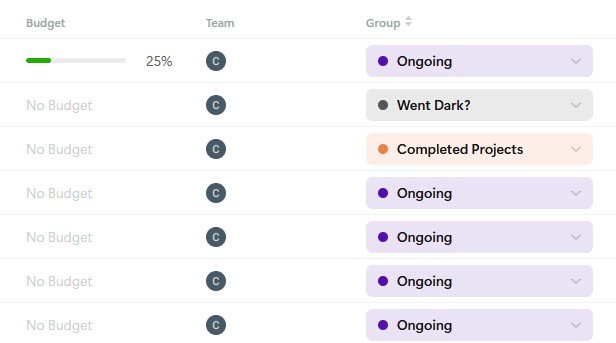
Lead tracking that’s easy to set up. You can create custom tags and colour-code them, like “New Lead” or “Contract Sent.” A glance at my client list tells me where everyone stands. Setup took minutes, not days.
Contracts and deposit invoices. I send a contract, and the deposit invoice goes out automatically. There’s no retyping and no chasing people for deposits. Plus, you can easily set up an auto-reminder (just toggle a button) for all invoices – it makes it hands off. One less thing to think about!
Professional-looking invoices. The layouts look polished, which matters when you’re a small business building trust with new clients.
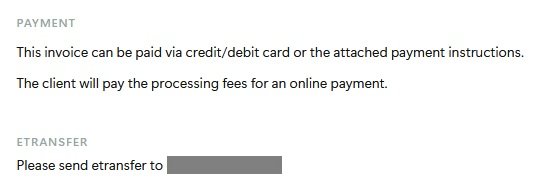
Flexible payments for clients. Clients can pay by e-transfer or credit card right in Bonsai. That’s handy for Canadian clients who prefer e-transfer. In the “notes” section of the invoice, I state the e-transfer information, then when they pay, I manually mark the invoice as “paid.”
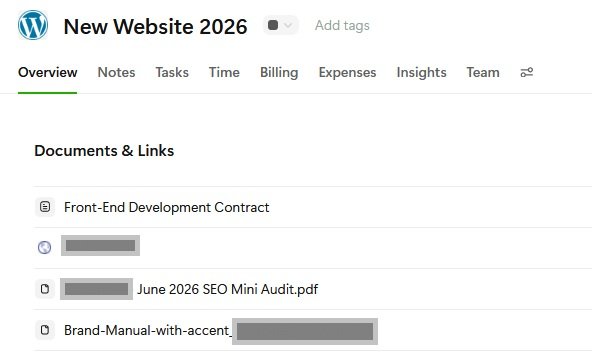
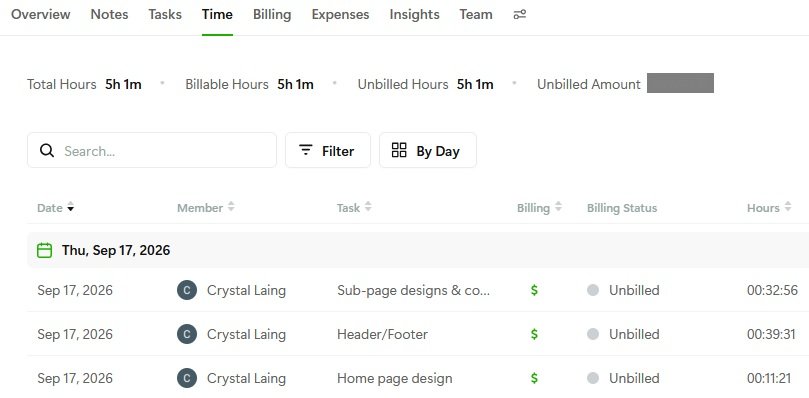
Project notes, tasks, and time tracking. Each project has its own notes and documents sections, task lists, and a time tracker. I honestly like the notes better than Asana, because everything for a client stays in one place.
Budget tracking for retainers. When a client is on a retainer, Budget Tracking shows how much of it I’ve used. I can see when I’m getting close and let the client know before it becomes a surprise.
Expense tracking. It’s built right in, so I don’t need a separate app.
Support that listens. Bonsai’s support has been excellent for me, and the team keeps improving the product based on community feedback.
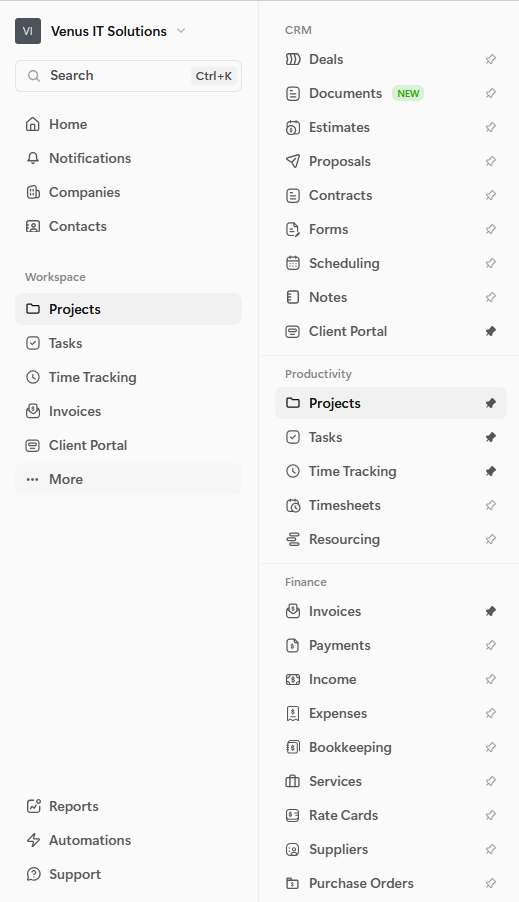
But seriously, check out this list of features – you can pin whatever ones you care about the most.
Where HubSpot is stronger
HubSpot’s free CRM is generous, and its marketing automation, email tools, and reporting go much deeper than Bonsai’s. If you need lead scoring or complex automation, HubSpot wins.
The trade-off is that HubSpot only covers the sales side. For proposals, contracts, invoicing, and time tracking, you’ll typically add other tools and subscriptions.
Fair warnings
- Bonsai’s CRM is basic. It’s built for managing clients, not for heavy marketing automation.
- Pricing is per user. It’s fine for solo owners, but costs rise with each team member.
- The tax features are US-focused. As a Canadian, I don’t use them, but everything else works great. I’m hoping they will add Canadian features. I can add in my GST number and Canadian tax amounts on invoices, so that has been no problem.
- Ownership is changing. Zoom acquired Bonsai in December 2025. Nothing has changed in my day-to-day use, but it’s worth knowing.
Quick comparison
| Bonsai | HubSpot | |
|---|---|---|
| Best for | Freelancers and small service businesses | Sales and marketing teams |
| CRM | Simple, client-focused | Advanced |
| Contracts and proposals | Built in | Add-ons or other tools |
| Invoicing and payments | Built in (e-transfer and credit card) | Limited or third-party |
| Time tracking and budgets | Built in | Not included |
| Learning curve | Low | Moderate to high |
| Starting price | $9 USD/month (I use the Essentials plan $19 USD/month) |
Free CRM; paid tiers start at $20 USD/month |
My verdict
If you want to get from new lead to paid invoice with the least admin, Bonsai is the better choice for most small service businesses. It replaces several subscriptions and it’s easy to learn. Choose HubSpot only if you need heavy marketing automation or you’re building a larger sales team.
You can try Bonsai free for 7 days here: https://app.hellobonsai.com/invite/857d4435
Need more leads coming into your pipeline? I help Canadian small businesses with Google Ads and SEO at Venus IT Solutions.